
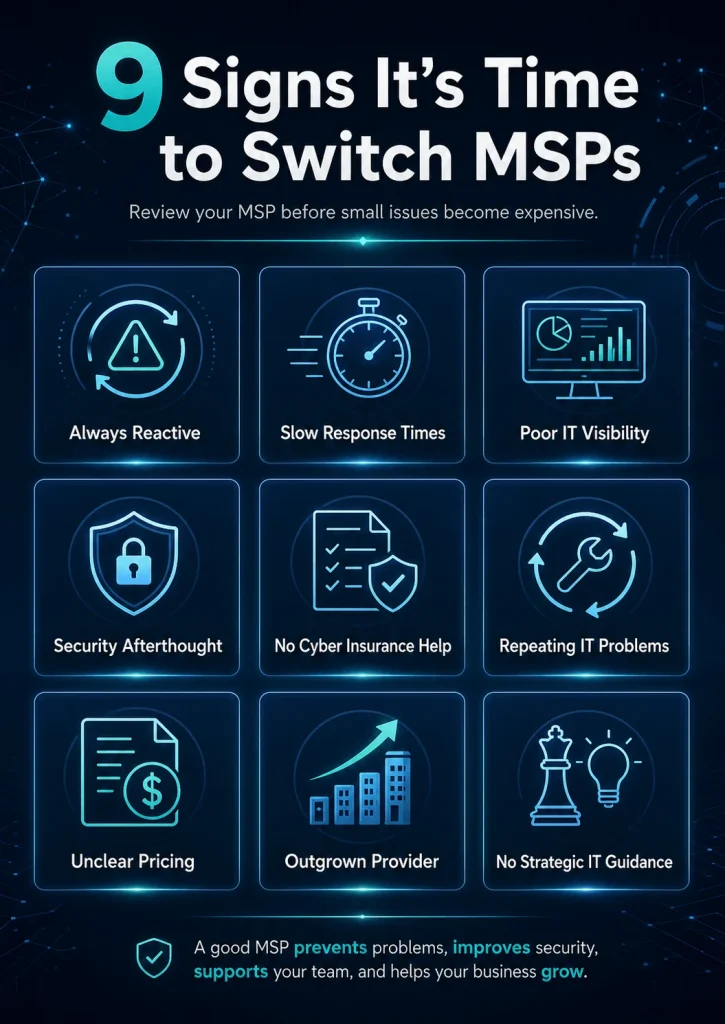
If your current provider is slow to respond, unclear about security, vague about pricing, or unable to support your business as it grows, it may be time to switch MSPs.
Your managed service provider should make technology easier to manage, not harder. A good MSP helps prevent problems, improves security, supports your team, and gives your business a clearer plan for growth.
But many businesses stay with the wrong IT provider for too long because switching feels complicated. They wait until there is a major outage, a security issue, a failed backup, or a frustrated team before they start looking for a better option.
The better time to review your MSP is before those problems become expensive.
9 Signs It’s Time to Switch MSPs
1. Your MSP Is Always Reactive
Your MSP Is Always Reactive
One of the biggest signs that you may need a new MSP is when support only happens after something breaks.
A managed IT provider should not operate like a basic break-fix company. They should be monitoring systems, applying updates, reviewing risks, managing backups, and helping prevent recurring issues before they disrupt your business.
If your MSP is mostly waiting for tickets, your business may be exposed to unnecessary downtime.
A stronger MSP should be able to answer questions like:
- What issues are we preventing each month?
- What systems are being monitored?
- What updates or patches were completed?
- What risks should we address next?
- What recurring problems need a long-term fix?
If those answers are unclear, your provider may not be managing your IT proactively.
2. Response Times Are Slipping
Response Times Are Slipping
Slow response times are more than an inconvenience. They can stop employees from working, delay client service, and create frustration across the business.
Your MSP agreement should clearly define support expectations, including response times, service scope, responsibilities, and escalation paths. A clear support agreement should explain how quickly issues are handled, what services are covered, and how urgent requests are escalated.
It may be time to switch if:
- Tickets sit unanswered for too long.
- Urgent issues are treated like routine requests.
- You have to follow up multiple times for updates.
- Problems are marked resolved before they are actually fixed.
- There is no clear escalation process.
Fast support does not always mean every issue is fixed instantly. But your MSP should communicate clearly, prioritize properly, and keep your team informed.
3. You Do Not Have Clear Visibility Into Your IT Environment
You Do Not Have Clear Visibility Into Your IT Environment
Your business should not be completely dependent on one outside provider to understand its own technology.
A reliable MSP should help maintain documentation for systems, users, devices, licenses, vendors, passwords, network details, backup processes, and administrative access. Poor documentation can make IT support slower and can make switching providers much harder.
Before changing providers, your business should confirm who controls key systems, collect current documentation, check backups, review tools in use, and plan the handoff step by step.
Red flags include:
- You do not know who owns your domain or DNS.
- You are unsure who has admin access to Microsoft 365.
- You do not have a current device or software inventory.
- You cannot easily confirm backup status.
- Your MSP controls key systems without giving your business proper visibility.
Your provider should not make your business feel locked out of its own IT environment.
4. Security Feels Like an Afterthought
Security Feels Like an Afterthought
Cybersecurity is no longer optional for small and mid-sized businesses. A modern MSP should be helping with practical security controls such as multi-factor authentication, endpoint protection, patching, backups, access management, and employee awareness.
Small businesses should have basic security controls in place, including multi-factor authentication, protected accounts, reliable backups, and stronger safeguards against common cyber threats.
It may be time to review your MSP if they cannot clearly explain:
- Whether MFA is enabled across key accounts.
- How endpoints are protected.
- How often systems are patched.
- Whether backups are tested.
- Who has administrator access.
- What happens during a security incident.
If security only comes up after a problem, your business may be taking on more risk than it realizes.
5. Your MSP Is Not Helping With Cyber Insurance Readiness
Your MSP Is Not Helping With Cyber Insurance Readiness
Cyber insurance applications are becoming more detailed. Many insurers now ask about controls like MFA, endpoint protection, backups, incident response plans, and security training.
A modern MSP should be able to help your business prepare for cyber insurance questions by reviewing security controls like MFA, endpoint protection, backups, and remote access.
Your MSP does not need to act as your insurance broker, but they should help you understand your current security posture and identify gaps that may affect your application or renewal.
If your provider cannot help you document your controls, confirm your backup process, or explain your security tools, that is a serious warning sign.
6. You Keep Having the Same IT Problems
You Keep Having the Same IT Problems
Every business has occasional IT issues. But the same problems should not keep happening without a deeper fix.
Recurring issues may include:
- Wi-Fi problems.
- Microsoft 365 login issues.
- Slow computers.
- Printer or scanner problems.
- File access issues.
- Phone system problems.
- Backup failures.
- Security alerts that are never fully addressed.
A strong MSP should look for root causes, not just close tickets. If the same issue keeps returning, your provider should be reviewing the environment, documenting the cause, and recommending a permanent solution.
If your team keeps saying, “We already had this problem last month,” your MSP may not be solving the real issue.
7. Pricing Is Unclear or Keeps Changing
Pricing Is Unclear or Keeps Changing
Managed IT pricing should be understandable. You should know what is included, what is extra, and how costs may change as your business grows.
It may be time to switch MSPs if:
- You keep receiving surprise invoices.
- You do not understand what your monthly fee covers.
- Basic work is constantly billed as extra.
- Projects are quoted without clear scope.
- Licensing costs are not explained.
- You feel unsure whether you are paying for real value.
The issue is not always the price itself. The bigger problem is a lack of clarity. Your MSP should be able to explain what you are paying for and how that support protects the business.
8. Your Business Has Outgrown the Provider
Your Business Has Outgrown the Provider
The MSP that worked when your company had 10 employees may not be the right provider when you have 40, 80, or 150 employees.
As your business grows, your IT needs often become more complex. You may need better cybersecurity, stronger Microsoft 365 management, more structured onboarding and offboarding, improved network design, phone system support, compliance documentation, or strategic planning.
You may have outgrown your MSP if they:
- Struggle with larger projects.
- Do not have enough technical depth.
- Cannot support multiple locations.
- Lack cybersecurity expertise.
- Do not offer planning or reporting.
- Do not understand your industry needs.
A growing business needs an MSP that can support where it is today and where it is going next.
9. You Are Not Getting Strategic IT Guidance
You Are Not Getting Strategic IT Guidance
Your MSP should not only fix tickets. They should help your business make better technology decisions.
That includes guidance on:
- IT budgeting.
- Hardware lifecycle planning.
- Cybersecurity improvements.
- Cloud and Microsoft 365 strategy.
- Backup and disaster recovery.
- Phone system upgrades.
- Network improvements.
- Vendor management.
- Compliance and documentation.
If your MSP never brings ideas, risks, or recommendations to the table, your business may be missing opportunities to improve security, reduce downtime, and plan ahead.
How to Switch MSPs Without Creating Disruption
Switching MSPs does not have to be chaotic. The key is to plan the transition carefully and avoid cutting off your current provider before the new provider has the access and documentation needed to support your environment.
Before switching, your business should:
- Review your current agreement: Check notice periods, cancellation terms, included services, and any equipment or licensing ownership details.
- Confirm administrative access: Make sure your business has access to Microsoft 365, domain registrar, DNS, firewall, backups, security tools, phone systems, and other key platforms.
- Document your environment: Gather device lists, software licenses, vendor contacts, network details, backup information, and known issues.
- Validate backups: Confirm that backups exist, are current, and can be restored.
- Plan the transition date: Avoid making the change during a busy operational period, major project, or financial deadline.
- Set expectations with staff: Let employees know how to request support, what will change, and who to contact during the transition.
- Choose an MSP that can lead the handover: A good provider should help manage the process, reduce risk, and make sure critical systems are not missed.
Most switching problems happen when access, documentation, backups, vendor details, and system ownership are not sorted out before the changeover.
Talk to Meteor Networks About a Better IT Support Model
If your current MSP is slow to respond, unclear about security, or no longer keeping up with your business, Meteor Networks can help you review your environment and plan a smoother path forward.
We support Ontario businesses with managed IT services, cybersecurity, Microsoft 365, business phone systems, and network support. Our team can help identify gaps, stabilize recurring problems, improve security controls, and build an IT support model that is easier to understand and easier to rely on.
Switching MSPs is not just about replacing one provider with another. It is about finding a partner that understands your business, communicates clearly, and helps your technology support your goals.
Ready to review your current IT support?
Schedule an IT review with Meteor Networks.
FAQs
A business should consider switching MSPs when support is consistently slow, issues keep repeating, cybersecurity is unclear, pricing is confusing, or the provider is no longer able to support the company’s needs.
Switching MSPs can be low-risk when the transition is planned properly. The most important steps are confirming admin access, documenting systems, validating backups, reviewing the current contract, and choosing a new provider that can manage the handover.
Ask your potential new MSP about response times, security controls, onboarding process, documentation, backup testing, Microsoft 365 management, escalation process, and how they handle transitions from another provider.
It is usually better to review your agreement and choose your next provider before ending the current relationship. This helps avoid gaps in support and gives the new MSP time to prepare the transition.
A good MSP is responsive, proactive, transparent, security-focused, well-documented, and able to provide both daily support and long-term IT guidance.