

Endpoint protection is the security technology installed on your devices. MDR is the managed service that monitors, investigates, and responds to threats. You may need one or both, depending on your risk, internal IT capacity, after-hours coverage, compliance needs, and how quickly your team can respond to suspicious activity.
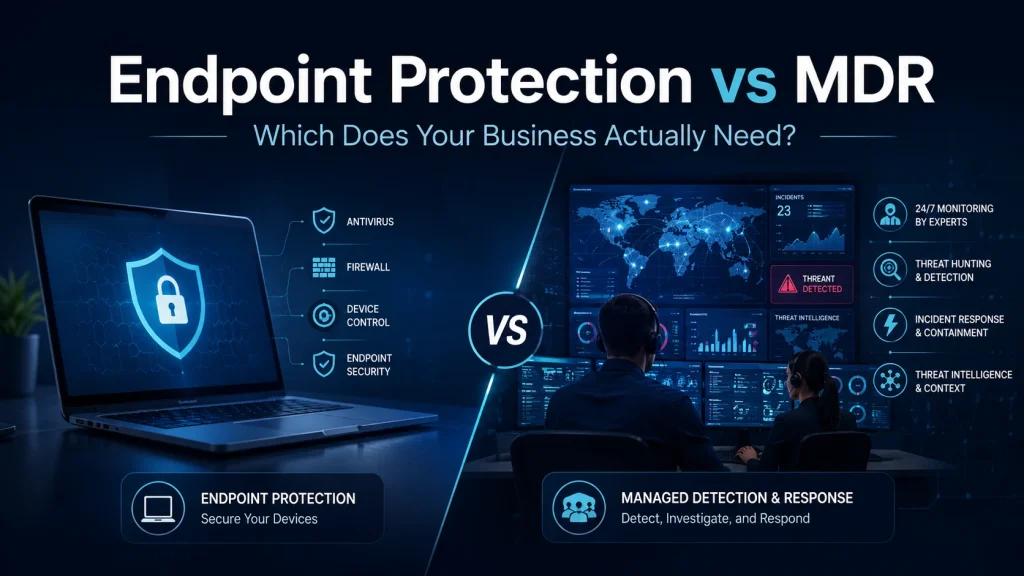
Most businesses know they need endpoint protection. Fewer know whether endpoint protection is enough.
That confusion is understandable. Cybersecurity vendors often use terms like antivirus, endpoint protection, EDR, XDR, MDR, and managed EDR as if they are interchangeable. They are not.
What Is Endpoint Protection?
Endpoint protection refers to security controls used to protect devices such as laptops, desktops, servers, and sometimes mobile devices. NIST defines an endpoint protection platform as software-based safeguards for end-user machines, including tools such as antivirus, antispyware, personal firewalls, and host-based intrusion detection or prevention systems.
Modern endpoint protection usually goes beyond traditional antivirus. Depending on the product and licensing, it may include:
- Antivirus and anti-malware protection
- Ransomware detection
- Endpoint detection and response, also known as EDR
- Device isolation
- File quarantine
- Attack surface reduction rules
- Vulnerability visibility
- Centralized policy management
- Alerts for suspicious behaviour
The Canadian Centre for Cyber Security recommends enabling security software such as firewalls, antivirus, anti-malware, and EDR software on devices as part of advanced cybersecurity best practices.
In simple terms, endpoint protection helps stop and detect threats on the device.
What Is MDR?
MDR stands for Managed Detection and Response.
Unlike endpoint protection, MDR is not just a tool. It is a managed cybersecurity service. Gartner describes MDR as remotely delivered security operations centre functions that support rapid detection, analysis, investigation, and response, often across endpoints, networks, logs, and cloud environments.
A good MDR service typically includes:
- 24/7 monitoring
- Alert triage
- Threat investigation
- Human security analysts
- Threat hunting
- Containment guidance or action
- Escalation procedures
- Incident response support
- Reporting and recommendations
Microsoft’s managed detection and response documentation describes this model as combining automation with human expertise to triage incidents, prioritize what matters, filter noise, investigate, and provide managed response recommendations.
In simple terms, MDR helps make sure alerts are reviewed and acted on by real security experts.
Endpoint Protection vs MDR: The Core Difference
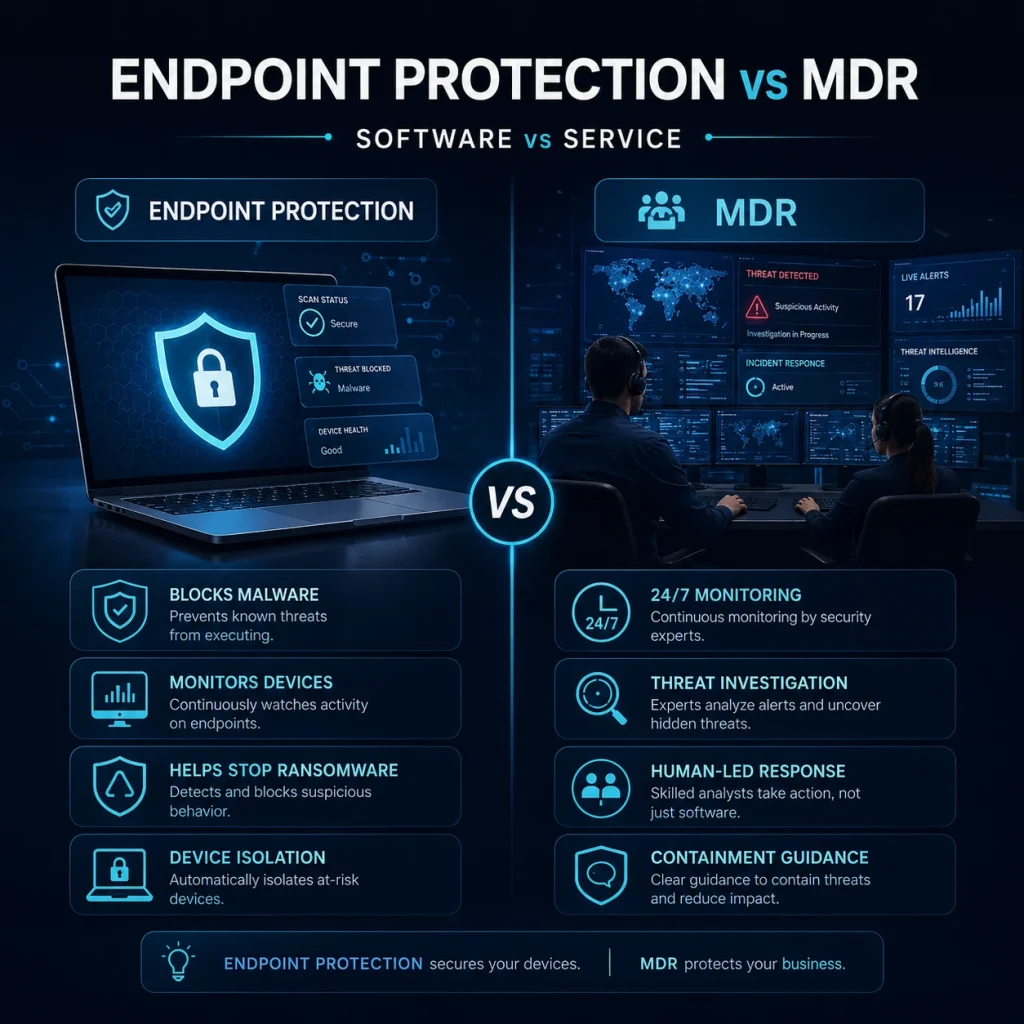
| Area | Endpoint Protection | MDR |
| What it is | Security software on devices | Managed security monitoring and response service |
| Main role | Prevent, detect, and contain threats on endpoints | Monitor, investigate, and respond to security events |
| Coverage | Usually laptops, desktops, servers, and sometimes mobile devices | Endpoints, identities, cloud, network logs, email, or SIEM depending on the provider |
| Who manages it | Internal IT team, MSP, or security admin | External security analysts or managed SOC team |
| Best for | Baseline device protection and endpoint visibility | Businesses that need expert response and after-hours coverage |
| Main limitation | Alerts still need someone to review and act | Requires the right provider, permissions, scope, and process |
| Business question | “Are our devices protected?” | “Who is watching and responding when something happens?” |
Endpoint protection is the lock, alarm, and camera on the device. MDR is the team that monitors the alarm, checks whether the threat is real, and helps contain the problem.
Where EDR Fits In
EDR stands for Endpoint Detection and Response. It is usually a feature or product category within endpoint security.
Microsoft describes EDR capabilities as providing near real-time, actionable attack detections, helping analysts prioritize alerts, understand the scope of a breach, and take response actions.
This is where many businesses get confused.
EDR can detect suspicious behaviour, but EDR does not automatically mean your business has a security team watching every alert. If no one reviews alerts quickly, tunes policies, investigates incidents, and follows through on containment, EDR becomes another dashboard your team does not have time to manage.
That is where MDR becomes valuable.
When Endpoint Protection May Be Enough
Endpoint protection may be enough for a smaller business with a relatively simple environment, low risk exposure, and a capable IT team that actively manages security alerts.
It may be a reasonable starting point if:
- Your business has a small number of devices
- You do not handle highly sensitive client data
- You have internal or outsourced IT support checking alerts regularly
- Your endpoint policies are properly configured
- You have MFA, backups, patching, and basic security controls in place
- You have a documented incident response plan
- You know who will act when an endpoint alert appears
Even then, endpoint protection should not be treated as a complete cybersecurity strategy. The Canadian Centre for Cyber Security lists endpoint security alongside other controls such as strong authentication, patching, backups, employee training, and incident response planning.
When MDR Becomes Necessary
MDR becomes more important when your risk exceeds your internal response capacity.
You should seriously consider MDR if:
Consider MDR if
- Your business does not have 24/7 security monitoring
- Your IT team is small or already overloaded
- Alerts are being ignored, delayed, or handled inconsistently
- You use Microsoft 365, cloud apps, remote access, or multiple locations
- You handle financial, legal, healthcare, customer, or regulated data
- You have cyber insurance requirements
- You need stronger ransomware readiness
- You cannot afford to wait until the next business day to investigate a serious alert
- You want help separating real threats from false positives
The Canadian Centre for Cyber Security’s ransomware playbook recommends monitoring networks and connected devices, generating event and incident reports, analyzing data, and determining whether response should be activated. It also recommends having a response process that includes preparation, observation, resolution, and lessons learned.
For many SMBs, that process is difficult to maintain internally. MDR helps fill that gap.
Why Endpoint Tools Alone Often Fail
Endpoint protection can detect threats, but detection is only useful when someone acts on it.
Common problems include:
1. Alerts are not reviewed quickly enough.
Many attacks happen after hours, on weekends, or during busy workdays when no one is watching the security console.
2. The tool is installed but not tuned.
Poor configuration can create too many false positives or miss important behaviour.
3. The business has no response process.
Knowing there is a threat is different from knowing who isolates the device, disables the account, checks lateral movement, preserves evidence, and communicates with stakeholders.
4. Endpoint visibility is too narrow.
An attack may start with a phishing email, stolen Microsoft 365 credentials, remote access abuse, or cloud activity before it reaches a device.
5. IT is expected to be the security team.
Many IT teams are responsible for support tickets, networks, Microsoft 365, backups, users, vendors, and projects. Security monitoring requires a different workflow and response discipline.
This is why the decision should not be framed as “endpoint protection or MDR.” For many businesses, the better question is: Do we only need endpoint security software, or do we also need managed experts to monitor and respond?

A Practical Decision Framework
Use this simple framework.
Endpoint protection may be enough if:
Endpoint protection may be enough if:
- You have a low-risk environment
- You have someone checking alerts daily
- You can respond quickly during and after business hours
- Your devices, users, backups, MFA, and patching are already under control
- You have a tested incident response plan
MDR is likely the better fit if:
MDR is likely the better fit if:
- You have no dedicated security team
- You need after-hours coverage
- You have compliance or cyber insurance requirements
- You are concerned about ransomware
- You use Microsoft 365 heavily
- You have remote or hybrid workers
- You need help investigating alerts, not just receiving them
- You want a provider that can guide containment and recovery actions
You likely need both if:
You likely need both if:
- You want strong endpoint protection and real response capability
- You have more than a handful of users and devices
- Your business depends on uptime
- You store client, financial, healthcare, legal, or operationally sensitive data
- You cannot afford confusion during a security incident
How Meteor Networks Helps
Meteor Networks helps businesses choose, configure, and manage cybersecurity solutions that fit their actual risk.
For some businesses, that may mean improving endpoint protection, tightening Microsoft 365 security, enforcing MFA, improving patching, and making sure alerts are reviewed properly.
For others, it may mean adding managed detection and response so threats are monitored, investigated, and escalated before they become major incidents.
Our approach is practical:
- Review your current endpoint protection
- Identify gaps in device, identity, and Microsoft 365 security
- Check whether alerts are being monitored and acted on
- Help configure endpoint and security policies correctly
- Recommend MDR when internal coverage is not enough
- Support response planning, backup readiness, and recovery preparation
Endpoint protection helps defend your devices. MDR helps make sure someone is watching, investigating, and responding.
A strong cybersecurity program needs both prevention and response.
FAQs
No. Endpoint protection is software that helps protect devices. MDR is a managed service that monitors, investigates, and responds to threats. MDR may use endpoint protection or EDR tools, but it adds human expertise and response support.
EDR provides more visibility and response capability than traditional antivirus, but it still needs proper management. Antivirus helps block known malware. EDR helps detect suspicious behaviour, investigate activity, and support containment.
Some small businesses do. The need depends less on company size and more on risk, data sensitivity, downtime tolerance, and whether someone can monitor and respond to alerts quickly.
No. MDR is not a replacement for basic security controls. You still need MFA, patching, secure backups, employee training, access controls, and an incident response plan.
Check what the provider monitors, what response actions they can take, whether coverage is 24/7, how incidents are escalated, what permissions they need, how reporting works, and whether they understand your business environment.
Need Help Deciding Between Endpoint Protection and MDR?
Meteor Networks can review your current endpoint security, Microsoft 365 environment, alert coverage, and response readiness.
If your business has endpoint tools but no clear process for monitoring and response, we can help you close that gap before an incident forces the issue.