
Ransomware recovery planning is not just about having backups. It is about knowing how your business will contain an attack, restore critical systems, communicate with the right people, and return to operations safely.
Many businesses assume they are protected because they have backup software in place. The real question is whether those backups are protected, tested, and tied to a clear recovery process.
If ransomware locks your files, disrupts email, affects Microsoft 365, disables phones, or spreads through your network, your team needs more than a backup job that says “successful.” You need a tested plan.
What Is Ransomware Recovery Planning?
A ransomware recovery plan is a documented process for restoring business operations after a ransomware incident.
It should answer:
- Which systems must be restored first?
- How long can each system be down?
- How much data can the business afford to lose?
- Where are backups stored?
- Are backups isolated from the network?
- Who makes decisions during an incident?
- Who contacts cyber insurance, legal counsel, vendors, staff, and customers?
- How will the business communicate if email or phones are unavailable?
Without these answers, recovery becomes rushed, stressful, and risky.
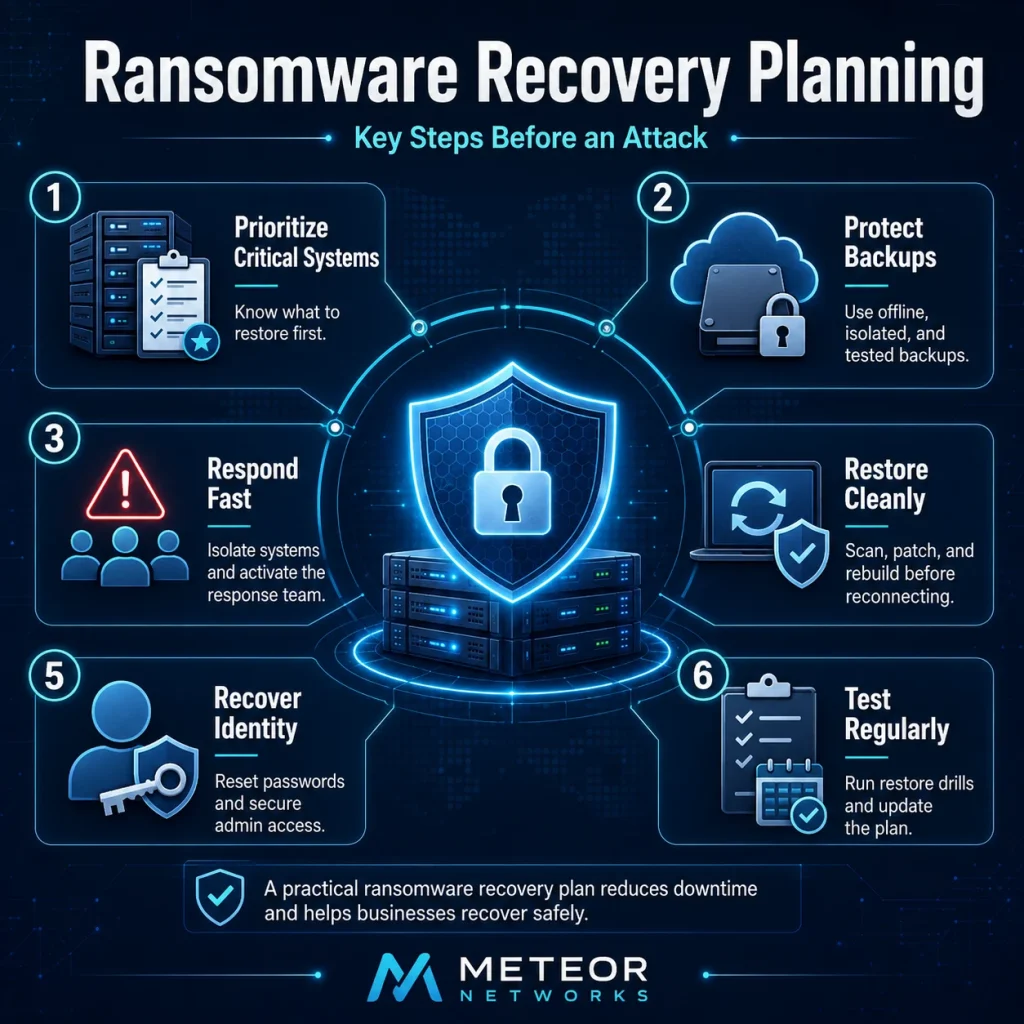
Start With Your Most Critical Systems
A recovery plan should define which systems come back first. This depends on how your business operates.
Common priorities include:
- Identity systems such as Microsoft Entra ID or Active Directory
- Firewalls, VPNs, Wi-Fi, and network infrastructure
- Email and communication tools
- File servers and shared drives
- Microsoft 365 data
- Accounting and payroll systems
- CRM or customer management platforms
- Phone systems
- Industry-specific applications
- Backup and recovery systems
This order should be decided before an incident. During ransomware recovery, every hour matters.
Why Backups Alone Are Not Enough
Backups are essential, but they are not a complete recovery plan.
Attackers often try to find and damage backups before they reveal the attack. If backup systems use the same administrator accounts, sit on the same network, or are not protected from deletion, they may be compromised too.
A ransomware-ready backup strategy should include:
- Multiple backup copies
- At least one offline or isolated copy
- Encrypted backups
- Backup access separated from daily administrator accounts
- Protection against deletion or tampering
- Regular restore testing
- Backup coverage for Microsoft 365 and other cloud systems
The real test is not whether your backup ran. The test is whether you can restore the right data, in the right order, within an acceptable timeframe.
What to Do in the First Few Hours
The first few hours of a ransomware incident are critical. Your plan should give staff a clear sequence to follow.
Key steps include:
Disconnect infected devices or network segments to limit spread.
1. Isolate affected systems
Disconnect infected devices or network segments to limit spread.
2. Use clean communication channels
If email or chat may be compromised, switch to approved alternate communication methods.
3. Activate the response team
Include leadership, IT, cybersecurity support, cyber insurance, legal contacts, and key decision-makers.
4. Preserve evidence
Keep logs, ransom notes, affected device details, alerts, and file information.
5. Review high-risk accounts
Disable or reset administrator accounts, VPN accounts, remote access tools, and suspected compromised users.
6. Notify the right parties
This may include cyber insurance, legal counsel, law enforcement, vendors, or affected stakeholders.
7. Do not restore too early
Restoring before containment can bring the attacker back into the environment.
Restore Safely, Not Just Quickly
Ransomware recovery is not only about getting files back. Systems must be restored into a clean environment.
A safe recovery process should include:
- Identifying the likely entry point
- Closing the vulnerability before reconnecting systems
- Rebuilding infected devices where needed
- Scanning backups before restoration
- Restoring into a clean or isolated environment first
- Patching systems before they return to production
- Resetting passwords and access tokens
- Reviewing administrator accounts
- Monitoring for reinfection
If the original weakness is still active, the business may be attacked again after restoration.
Do Not Overlook Identity Recovery
Identity is often one of the biggest ransomware recovery gaps.
If attackers used a stolen password, administrator account, VPN account, or cloud login, restoring files will not solve the problem. The business must regain control of user access.
This may include:
- Resetting user and administrator passwords
- Revoking active sessions
- Enforcing multi-factor authentication
- Reviewing conditional access policies
- Removing unknown administrator accounts
- Checking mailbox forwarding rules
- Disabling insecure authentication methods
- Separating backup administration from daily IT administration
For Microsoft 365 environments, this is especially important because email, OneDrive, SharePoint, Teams, and admin accounts may all be involved.
Plan Communication Before an Incident
Communication during ransomware recovery should not be improvised.
Your plan should include:
- Internal notification steps
- Executive decision-makers
- Cyber insurance contacts
- Legal and privacy escalation contacts
- Vendor contact details
- Customer communication templates
- Staff instructions
- Alternate contact methods if email is unavailable
- A clear approval process for external messaging
The goal is to communicate accurately, legally, and calmly.
Include Cyber Insurance in the Plan
If your business has cyber insurance, your recovery plan should include the policy details, emergency contact number, claim steps, and approved response vendors.

Some policies require early notification. Some require specific forensic, legal, or recovery providers. Some may limit coverage if required security controls were missing before the incident.
Your team should know:
- Who contacts the insurer
- Where the policy is stored
- What the policy covers
- Which vendors are approved
- What documentation is required
- Which controls must stay in place for coverage
Cyber insurance can help with recovery, but it does not replace preparation.
How Often Should a Recovery Plan Be Tested?
A ransomware recovery plan should be tested regularly.
Recommended testing includes:
- Regular restore checks for critical systems
- Reviews of administrator and backup access
- Annual ransomware tabletop exercises
- Testing after major IT changes
- Cyber insurance readiness reviews before renewal
- Microsoft 365 backup and security reviews
- Updates to emergency contact lists
A useful test should prove that a critical system can be restored. It should also reveal gaps, such as missing passwords, incomplete backups, slow restore times, or undocumented dependencies.
How Meteor Networks Helps
Meteor Networks helps businesses build ransomware recovery plans that are practical, tested, and aligned with daily operations.
Our support can include:
- Backup and disaster recovery planning
- Microsoft 365 backup and security review
- Endpoint protection and monitoring
- Firewall, VPN, and network security review
- Identity and access control hardening
- Cyber insurance readiness support
- Incident response planning
- Recovery testing and documentation
- Ongoing monitoring for security gaps
The goal is not just to have a document. The goal is to know your business can contain the damage, restore critical systems, and return to work safely.
Final Takeaway
Ransomware recovery planning reduces panic and downtime.
A strong plan tells your team what to do, who to contact, which systems to restore first, and how to avoid reinfection.
Backups matter, but recovery takes more than backups. It requires clean restoration, identity control, communication, insurance readiness, and regular testing.
If your ransomware recovery plan has not been tested recently, now is the time to find the gaps before an attacker does.
FAQs
A ransomware recovery plan is a documented process for restoring business operations after a ransomware attack. It covers containment, backups, clean restoration, communication, cyber insurance, legal escalation, and post-incident review.
No. Backups are essential, but they must be protected, isolated, tested, and part of a larger recovery plan.
The first systems restored should be the ones most critical to business operations. This often includes identity systems, network infrastructure, email, file access, accounting, phones, and industry-specific applications.
Businesses should test critical restores regularly and run a broader ransomware tabletop exercise at least once a year. Testing should also happen after major IT or business system changes.
Paying does not guarantee recovery and can create legal, financial, and operational risks. Businesses should contact cyber insurance, legal counsel, law enforcement, and cybersecurity professionals before making any decision.
Yes. Microsoft 365 data, including email, OneDrive, SharePoint, and Teams files, can be affected through compromised accounts, malicious file changes, deletion, or unauthorized access.