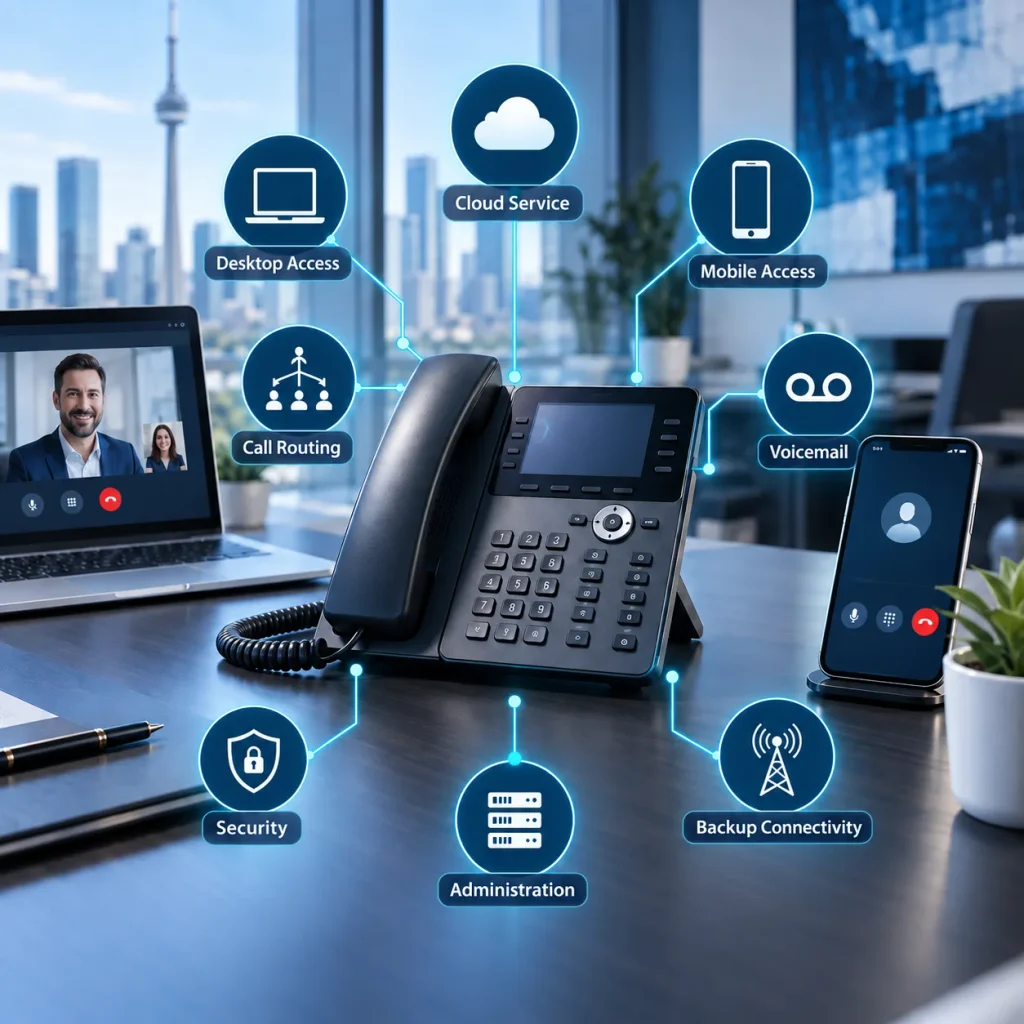
A modern business phone system should include reliable calling, efficient call routing, mobile and desktop access, voicemail management, reporting, security controls, business application integrations, centralized administration, and internet outage resiliency. It should make employees easier to reach while giving customers a direct path to the right person.
The right configuration depends on your call volume, locations, workflows, network, remote-work requirements, and existing equipment. Features should support these requirements instead of adding unnecessary complexity.
Meteor Networks designs and supports cloud, on-premise, and hybrid systems around each organization’s network and workflows.
1. Reliable Calling
Reliable Calling
Clear, consistent voice service is the first requirement. Dropped calls, delays, and broken audio can affect customer service and internal coordination regardless of how many additional features the system provides.
For VoIP systems, call performance depends on the phone platform and the network carrying the traffic. Before installation, the provider should assess:
- Internet capacity
- Network traffic
- Voice traffic prioritization
- Wi-Fi coverage
- Power protection
- Backup connectivity
Monitoring should continue after deployment so call-quality problems can be identified and corrected.
2. Practical Call Routing
Practical Call Routing
Call routing should move callers to the correct employee or department without forcing them through a long menu.
A modern system should support:
- Auto-attendants
- Ring groups
- Call queues
- Direct extensions
- Business-hours and holiday schedules
- Overflow and after-hours routing
- Call forwarding
The routing plan should reflect how the business handles calls. A small office may need a simple menu and shared ring group, while a customer service operation may require queues, priority rules, and performance reporting.
3. Mobile and Desktop Access
Mobile and Desktop Access
Employees should be able to use their business number from a desk phone, computer, or mobile device. This is important for remote employees, field teams, hybrid workplaces, and businesses operating across several locations.
Mobile and desktop applications allow users to:
- Make and receive calls through the business number
- Keep personal numbers private
- Transfer calls
- Access company contacts
- Review voicemail
- Update their availability
Employees can remain reachable without being tied to a specific desk or office.
4. Voicemail and Messaging
Voicemail and Messaging
Voicemail-to-email sends a recording or notification directly to the intended employee. Some systems also provide transcription, allowing users to review messages without calling their voicemail inbox.
Shared voicemail boxes can be assigned to departments such as sales, reception, or support. The business should establish who monitors each inbox and how quickly messages must be handled.
Business text messaging may also be useful for appointment reminders, delivery updates, service notices, and short customer questions. Messages should come from a company-controlled number rather than an employee’s personal phone.
5. Call Reporting and Recording
Call Reporting and Recording
Call reporting helps businesses understand how calls are being handled. Depending on the organization, useful metrics may include:
- Inbound and outbound call volume
- Answered and missed calls
- Queue wait times
- Abandoned calls
- Peak calling periods
- Call duration
- Activity by department
These reports can reveal staffing gaps, routing problems, and missed customer contacts.
Call recording may be required for training, quality reviews, documentation, or regulated workflows. If enabled, the business should establish clear rules for consent, access, storage, retention, and deletion.
6. Business Application Integrations
Business Application Integrations
A phone system can reduce manual work when it connects with the applications employees already use.
Common integrations include:
- Microsoft Teams
- Microsoft 365
- Customer relationship management platforms
- Help desk systems
- Scheduling tools
- Contact centre platforms
- Industry-specific software
For example, a CRM integration may display the customer’s record when a call arrives or automatically log the interaction. Businesses should confirm that an integration supports the required workflow because basic compatibility does not guarantee access to every function.
7. Centralized Administration and Security
Centralized Administration and Security
Authorized administrators should be able to manage users, extensions, call routes, schedules, devices, and permissions from a central portal. This simplifies routine changes and gives multi-location businesses one place to manage the system.
Security protections should include:
- Secure administrator access
- Multi-factor authentication where available
- Role-based permissions
- Software and device updates
- Call and administrative logs
- International calling restrictions
- Fraud monitoring or spending controls
- Prompt removal of former employees
Emergency calling must also be configured correctly, especially when employees use extensions from different locations. The provider should explain how location information is assigned and updated for desk phones, softphones, and mobile users.
8. Scalability and Outage Protection
Scalability and Outage Protection
The phone system should accommodate new employees, departments, and locations without requiring a complete replacement. Businesses should be able to add or remove users, create new call groups, and adjust licensing as requirements change.
The system also needs a continuity plan. Depending on the business, that may involve:
- Automatic forwarding to mobile phones
- Mobile apps using cellular data
- A secondary internet connection
- Backup power
- Redundant network equipment
- An alternate answering location
Failover procedures should be tested before they are needed.
Cloud, On-Premise, or Hybrid?
A modern phone system does not have to operate entirely in the cloud. The correct deployment depends on the organization’s infrastructure, existing equipment, compliance requirements, and need for local control.
| Cloud systems are often suitable for remote teams, multiple locations, and businesses that want to reduce onsite hardware. |
| On-premise systems may suit organizations that require local control, specialized integrations, or continued use of established infrastructure. |
| Hybrid systems combine onsite equipment with services such as SIP connectivity, remote access, or cloud-based management. |
A provider should evaluate all three options instead of recommending the same deployment to every business.
What Should Implementation Cover?
A reliable migration requires more than activating accounts and installing phones. The provider should document:
- Existing phone numbers and extensions
- Current call flows
- Desk phones and other devices
- Internet and network requirements
- Application integrations
- Emergency calling information
- Number-porting requirements
- Training and support procedures
Fax machines, alarm systems, elevator phones, paging equipment, and door-entry systems connected to existing lines should also be identified. These devices may require separate connections or replacement plans.
Before cancelling the old service, the new system should be tested for inbound calls, outbound calls, transfers, voicemail, routing, failover, and emergency location settings.
Questions to Ask a Phone System Provider
Before choosing a system, ask:
- Which features are standard, and which cost extra?
- Can we keep our existing numbers and compatible phones?
- How will the system work during an internet outage?
- How are emergency locations managed?
- Which security controls protect users and administrators?
- Do the available integrations support our workflows?
- Who handles configuration, number porting, and training?
- What support is available after installation?
- How are new users and locations added?
- What are the contract and equipment terms?
The answers should address your proposed setup rather than describe the platform in general terms.
Build the Right Phone System With Meteor Networks
Meteor Networks designs, installs, and supports cloud, on-premise, and hybrid business phone systems. We assess your network, call flows, locations, integrations, devices, and continuity requirements before recommending a solution.
Because Meteor supports both telecommunications and IT infrastructure, one team can address the phone system and the network that affects its performance. We also manage configuration, number porting, employee training, migration, and ongoing support.
Contact Meteor Networks to review your current system and plan a phone solution suited to your operations.
Frequently Asked Questions
The essentials are reliable calling, call routing, voicemail, mobile and desktop access, reporting, security controls, centralized management, and outage protection. Integrations and call recording should be added when required by the business.
Yes. A supported mobile application allows employees to make and receive calls through the company system without displaying their personal number.
Calls may be redirected to mobile phones, answered through an app using cellular data, or carried over a backup internet connection. The exact result depends on how the system’s failover plan is configured.