

Dropped calls, rising analogue line bills, and unsupported office phones usually point to the same purchasing question: should you replace the system, upgrade what you have, or move calling to the cloud?

This business VoIP guide helps operations directors, IT managers, and business owners compare business phone systems, calculate ownership costs, and plan deployment without losing essential functions such as reception transfers or warehouse paging.
Meteor Networks supports Brampton, Toronto, Vaughan, Mississauga, Oakville, Milton, and Orangeville, assessing phone platforms alongside the infrastructure they depend on.
Start With the Problems Your Next System Must Solve
Collect a recent phone bill and examples of failed calls, including the time, affected number, location, and symptoms. Distinguish faults at one desk from failures across every location.
Separate requirements into three groups:
- Essential: dependable external calling, transfers, business-hours routing, emergency calling, and required devices.
- Operational: shared queues, mobile access, department voicemail, reporting, and application integrations.
- Optional: features such as AI summaries or advanced analytics that need a measurable use case.
Document headcount, locations, peak simultaneous calls, and expected growth. Count shared phones and paging devices separately: their licences may differ from named-user licences.
Set measurable requirements; for example, unanswered reception calls must reach a shared queue after an agreed interval.
Cloud Hosted VoIP vs On-Premise PBX: What Changes?
VoIP, or Voice over Internet Protocol, carries voice over an IP network. A PBX, or private branch exchange, manages extensions, voicemail, transfers, and call routing. These terms describe different aspects of a system: an on-premise PBX can use VoIP too.
SIP, the Session Initiation Protocol, helps establish and manage communication sessions. A SIP trunk connects a compatible PBX to a telephone service provider. SIP endpoints include supported desk phones, applications, intercoms, and paging adapters.
Cloud-hosted VoIP
The provider operates the central phone platform. Employees connect through supported desk phones, computers, or mobile applications.
Cloud hosting suits many distributed teams and reduces onsite server maintenance. Your internet connection, switches, phones, user access, and call configuration still need management. Confirm which tasks the agreement includes.
On-premise PBX
The central system runs at your premises. A legacy installation may use proprietary digital handsets, analogue lines, or older carrier circuits. A modern onsite IP PBX can use SIP trunks and IP endpoints.
Retaining a supported system can make sense when it has useful life remaining or specialist integrations. Check software support, replacement parts, capacity, backups, and maintenance costs before deciding to retain or replace it.
Hybrid systems
A hybrid design combines onsite and hosted components. A hotel might retain compatible room phones while moving administrative staff to cloud calling. Another business might keep its PBX and replace selected carrier circuits with SIP trunks.
Define which components will remain and who supports their interconnection. Include duplicate subscriptions and integration maintenance in the budget.
Business phone system comparison matrix
| Decision factor | Cloud-hosted VoIP | On-premise PBX, including legacy systems | Hybrid setup |
|---|---|---|---|
| Central platform | Operated by the provider | Located at your premises | Split between onsite and hosted components |
| Initial spending | Setup, endpoints, and network work; usually less central hardware | New hardware and licensing, or upgrades to retained equipment | Gateways, integration, and selected replacements |
| Recurring costs | User or service licences, calling, support, and add-ons | Carrier services, maintenance, software, power, and administration | Charges for both environments and their interconnection |
| Adding users | Often a portal and licence change; confirm contract limits | Depends on licences, interfaces, hardware capacity, and support status | Depends on capacity in both environments |
| Remote access | Commonly available through supported apps | May require additional software, licensing, or secure connectivity | Depends on the component serving each user |
| Existing handset reuse | Only approved, compatible devices | Often possible within the supported hardware family | Selective reuse through supported connections |
| Internet outage | Office endpoints may disconnect; configured alternatives may remain available | Local calls may continue; external calls depend on carrier paths | Behaviour depends on which components and links remain available |
| Maintenance owner | Provider for the platform; local responsibilities still apply | Business or contracted partner | Shared responsibilities require explicit ownership |
| Main purchasing risk | Underestimating add-ons, connectivity, or contract minimums | Retaining unsupported hardware or underfunding maintenance | Complexity, duplicate costs, and unclear fault ownership |
Which Calling Features Should You Require?
A unified communications platform combines functions such as calling, messaging, and meetings. Match licences to each team’s needs.
Call handling
Call handling
Confirm auto-attendants, direct extensions, ring groups, queues, transfers, hold, park, business-hours schedules, holiday rules, and overflow destinations. A ring group alerts several people; a queue manages waiting callers. Demonstrate the behaviour your reception and service teams need.
Mobile access and voicemail
Mobile access and voicemail
Check that supported apps present the business number, receive transferred calls, and provide access to voicemail. Assign an owner to every shared mailbox. Transcription can help users scan messages, but recordings should remain available to check errors.
Reporting
Reporting
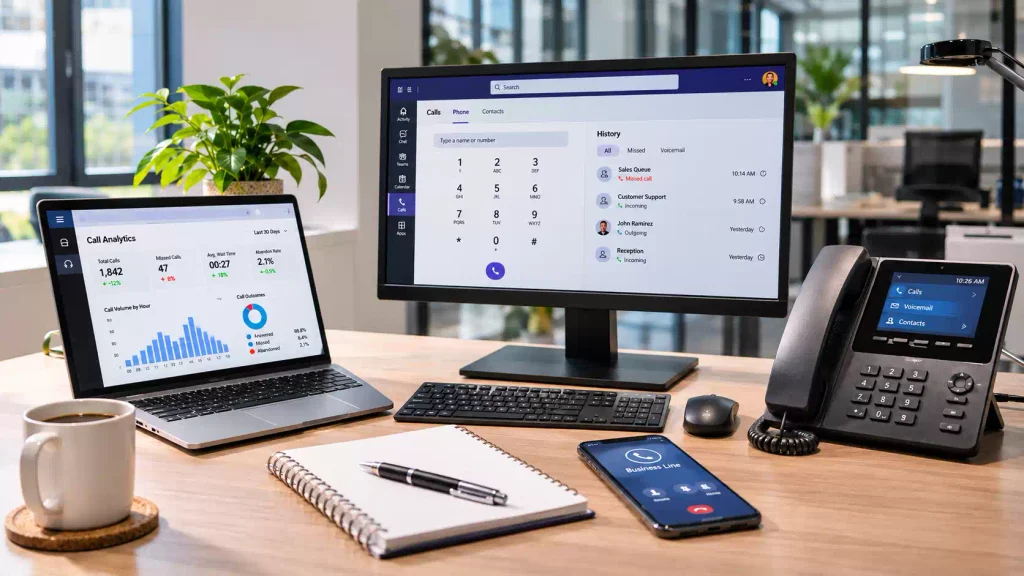
Start with missed calls, queue wait times, abandonment, and peak demand. Confirm how the platform defines each metric and whether transfers count as additional call legs. Otherwise, teams may compare incompatible numbers.
Integrations
Integrations
Ask the supplier to demonstrate your specific CRM, help desk, or Microsoft Teams workflow. Compatibility might mean click-to-call rather than automatic record matching and activity logging. Check additional licences, connector maintenance, and what happens when synchronization fails.
Recording and messaging
Recording and messaging
Decide which teams need these functions. Establish access, retention, deletion, and applicable consent requirements before activation. Business SMS availability, allowances, and registration requirements vary by provider and destination; confirm them in writing.
Advanced contact centre functions may be a separate product. Supervisor tools, detailed queue analytics, and specialist routing should appear as explicit proposal items.
What Do Business Phone Systems Cost?
Separate the advertised licence price from the complete service budget. Every proposal should identify its currency, billing commitment, user minimum, included calling, equipment ownership, and taxes or additional fees.
For a public pricing reference, consult RingCentral’s Canadian pricing page. Confirm the currency, seat tier, billing term, and applicable fees in a written quote before using the advertised rate in your budget.
For your own comparison, request these cost categories:
| Cost category | What the quote should disclose |
|---|---|
| Licences and numbers | Named users, shared devices, direct numbers, queues, and simultaneous-call capacity |
| Calling and usage | Included destinations, international rates, toll-free minutes, SMS, and overages |
| Hardware | Purchased or rented phones, headsets, adapters, warranties, and replacement terms |
| Deployment | Assessment, configuration, integration work, porting, training, and cutover support |
| Infrastructure | Cabling, PoE switches, backup power, connectivity, and necessary security equipment |
| Ongoing management | Support hours, configuration changes, monitoring, backups, and maintenance |
| Contract obligations | Minimum licences, renewal increases, cancellation charges, and equipment return terms |
Calculate the effective cost per user
Use two figures:
Recurring cost per user = total monthly recurring cost ÷ active users
Comparison cost per user = (monthly recurring cost + one-time costs ÷ comparison months) ÷ active users
The second figure spreads initial spending over your comparison period.
Consider this hypothetical 25-user hosted proposal in Canadian dollars. These figures are illustrative, not Meteor pricing.
| Monthly item | Calculation | Cost |
|---|---|---|
| Calling licences | 25 × $30 | $750 |
| Device rental | Quoted allowance | $100 |
| Managed support | Quoted allowance | $150 |
| Backup connectivity allocated to voice | Budget allowance | $100 |
| Monthly recurring total | $1,100 |
Recurring cost per user is $1,100 ÷ 25 = $44 monthly.
Assume another $3,600 covers deployment and necessary network work. Over 36 months, that adds $100 monthly, producing a comparison cost of ($1,100 + $100) ÷ 25 = $48 per user per month.
Three-year ownership cost is 3,600+(1,100 × 36) = $43,200, before tax and variable usage. Check whether support or connectivity is already included elsewhere to avoid counting it twice.
Compare cloud, on-premise, and hybrid over the same period
The following scenarios use the same 25-user denominator and 36-month horizon. They illustrate the calculation only; they are not typical market prices or technically equivalent quotations.
| Hypothetical scenario | Initial cost | Monthly cost | 36-month total | Effective cost/user/month |
|---|---|---|---|---|
| Hosted proposal above | $3,600 | $1,100 | $43,200 | $48.00 |
| New onsite IP PBX | $14,400 | $700 | $39,600 | $44.00 |
| Hybrid using retained equipment | $7,200 | $900 | $39,600 | $44.00 |
Compare equivalent calling capacity, features, support, and recovery. Include internal administration and hardware replacements due during the comparison period.
Model growth and contraction
Assess telecom scalability at current, increased, and reduced staffing levels.
If the hosted example rises from 25 to 40 users at the same $30 licence rate, licences become $1,200. Holding the other $350 constant produces $1,550 monthly, or $38.75 per user, before additional devices or capacity changes.
If staffing falls to 20 but the contract retains a 25-user minimum, the $1,100 recurring bill becomes $55 per active user. Check whether licences can decrease during the term and whether additional sites trigger new fees.
Infrastructure: What Must Be Ready Before Installation?
Check cabling, Wi-Fi, switches, and firewall configuration under normal business load before installing the new platform.
Bandwidth, quality, and routing
Bandwidth, quality, and routing
Size connectivity for concurrent calls, not just employee count. The requirement depends on codec, packet overhead, encryption, and whether audio crosses the internet connection.
For an illustrative allowance of 100 kbps per external call in each direction, 20 simultaneous calls need about 2 Mbps upload and 2 Mbps download for voice alone. Have the proposed provider validate its actual requirements, then allow capacity for other traffic and demand spikes.
Latency delays speech, jitter changes packet arrival timing, and packet loss removes audio information. Assess these alongside bandwidth and firewall configuration.
Quality of Service can prioritize voice on networks you control. It cannot guarantee priority across the public internet. Document firewall requirements and use the platform’s approved settings rather than enabling generic features without testing.
SIP endpoints and hardware compatibility
SIP endpoints and hardware compatibility
List each handset, cordless base, conference phone, intercom, adapter, and application. Confirm approved models, firmware, provisioning methods, security support, and required licences.
An old digital PBX handset may not support SIP. An analog telephone needs an appropriate interface. Even a SIP-capable phone may be unsupported by the chosen hosted service.
Pilot reception keys, headsets, accessibility functions, cordless coverage, and shared-device sign-in.
PoE switches and backup power
PoE switches and backup power
Power over Ethernet supplies power and network connectivity through a single cable to compatible devices. Count available switch ports and calculate the total PoE budget using manufacturer requirements.
For example, 24 phones with an eight-watt design allowance require 192 watts, before adding access points, paging devices, or headroom. A 24-port switch does not necessarily supply that much power. Match both the PoE standard and the available budget to the devices.
Backup power must cover the complete calling path: phones, switches, router, internet termination equipment, and any local PBX or adapters. Calculate runtime at the expected load.
Paging, intercoms, and analog equipment
Paging, intercoms, and analog equipment
Warehouse announcements, door entry, hotel room phones, fax machines, and loud ringers need explicit migration plans.
A supported SIP paging adapter can connect a new phone system to a suitable existing amplifier. For example, Algo’s 8301 supports SIP registration and multicast distribution, with an audio interface for compatible analog paging equipment.
Verify amplifier inputs, zones, announcement permissions, audio coverage, and multicast behaviour across network segments.
Treat elevator phones, monitored alarms, and other safety-related connections separately. Obtain compatibility and connection requirements from the equipment and monitoring providers before changing service. An analog terminal adapter is not a universal replacement for a dedicated line.
Reliability, Security, and Administration
Ask providers to describe what happens during four distinct events: office power loss, office internet loss, a provider platform outage, and carrier failure. Each needs a documented response.
Provider-side forwarding can preserve inbound reachability during some local outages. Mobile apps may work over cellular data. A secondary connection can support office phones if failover, capacity, and firewall behaviour have been tested. Two internet services are not necessarily independent if they share physical infrastructure.
For onsite systems, confirm backup restoration, replacement hardware, and recovery responsibility. For cloud services, establish which configurations and records you can export and how service restoration is communicated.
Require appropriate administrator authentication, role-based access, supported device updates, logging, and prompt account removal when employees leave. Confirm encryption coverage for supported connections rather than treating an “encrypted” label as protection for every call path.
Restrict international and premium-rate destinations where unnecessary. Review fraud alerts and spending controls. Assign responsibility for changing call routes, maintaining emergency addresses, and reviewing access; a central portal still needs an accountable administrator.

Canadian Number Porting and Emergency Calling
Keep your numbers active during the transfer
Inventory main numbers, direct numbers, toll-free numbers, fax services, and numbers attached to bundles. Collect current carrier account details and ask the receiving provider to confirm portability and authorization requirements.
Do not cancel existing service before the number transfer is complete. The CRTC explicitly advises customers keeping their number to arrange the transfer through the new provider before cancelling.
Obtain a confirmed transfer window and escalation contact. Local and toll-free transfers may follow different processes. Ask whether moving a number affects internet access, alarms, fax, or other services on the same account.
Prepare temporary numbers or alternate answering arrangements. A completed port may not be immediately reversible, so the contingency plan must extend beyond “switch back.” After transfer, test calls from multiple networks and check the old account for remaining charges.
Understand the proposed 9-1-1 service
Canadian emergency calling requires attention to the actual service arrangement. The CRTC distinguishes fixed VoIP from nomadic services, which can be used from different internet connections. Nomadic VoIP generally uses Basic 9-1-1 with an intermediary helping identify the caller’s location and route the call.
For each office, shared phone, and remote-user arrangement, confirm the supported emergency service and location-update process. Do not assume a mobile app automatically supplies the caller’s current location.
Keep registered addresses accurate, explain limitations to employees, and provide instructions to state their location and callback details. Internet or power failures can interrupt VoIP emergency access; plan an alternative such as a cellular phone.
Arrange validation through the provider’s approved procedure; do not make uncoordinated live 9-1-1 test calls.
A Structured Deployment Plan
1. Establish ownership and baseline performance
1. Establish ownership and baseline performance
Name a business owner for call-flow decisions and a technical owner for dependencies and escalation. Record existing monthly costs, missed calls, recurring faults, and administration effort so the project has a baseline.
2. Complete discovery
2. Complete discovery
Consolidate the number, device, network, and service inventories described above. Identify dependencies that must remain active during transition.
3. Approve the design and budget
3. Approve the design and budget
Document each number’s destination, business hours, greeting, timeout, overflow route, and voicemail owner. Select the architecture, endpoint mix, security settings, continuity measures, and licensing. Approve one-time spending and recurring charges separately.
4. Pilot representative workflows
4. Pilot representative workflows
Pilot with reception, a busy calling team, and remote employees during peak usage. Resolve faults before scheduling the main cutover.
5. Prepare people and cutover arrangements
5. Prepare people and cutover arrangements
Train employees on their devices and administrators on routine changes. Confirm the transfer window, cutover support, temporary call paths, and rollback limits.
6. Cut over against an acceptance checklist
6. Cut over against an acceptance checklist
| Acceptance area | Required evidence |
|---|---|
| Numbers | Main numbers and direct lines receive calls from multiple networks |
| Daily calling | Outbound caller ID, transfers, hold, park, voicemail, and apps work |
| Routing | Normal hours, holidays, busy users, no answer, and overflow follow the approved design |
| Integrations | Required records, notifications, and specialist devices behave correctly |
| Continuity | Agreed outage scenarios produce the expected call path |
| Emergency setup | Addresses, limitations, responsibilities, and provider-approved validation are documented |
| Handover | Administrators receive access, configuration records, training, and escalation contacts |
7. Review after deployment
7. Review after deployment
Compare results against the baseline after an agreed operating period. Investigate missed-call patterns, device faults, unnecessary licences, and routing exceptions. Close the project when acceptance issues are resolved and ongoing support ownership is clear.
How to Select a Business Phone System Provider
Send every shortlisted provider the same requirements. Request an itemized quote, proposed architecture, responsibility matrix, implementation plan, and contract terms.
Use a weighted scorecard to compare proposals:
| Evaluation area | Example weight | Evidence to request |
|---|---|---|
| Workflow and integration fit | 25% | Demonstration of your actual calling scenarios |
| Reliability and recovery | 20% | Failure behaviour, recovery responsibilities, and service commitments |
| Total ownership cost | 20% | Comparable 36-month budget and growth scenarios |
| Support and deployment | 15% | Coverage hours, escalation process, and cutover staffing |
| Security and emergency arrangements | 15% | Access controls, update ownership, and location-management process |
| Exit flexibility | 5% | Number transfer, data export, hardware ownership, and cancellation terms |
Score each area from one to five and multiply by its weight. Treat failed essential requirements as disqualifying regardless of the overall score. Adjust weights before proposals arrive.
Ask who investigates a dropped call involving the carrier, platform, firewall, and local network. Request response targets by severity, distinguish response from resolution commitments, and check what an uptime agreement excludes.
Confirm onsite support availability and charges for cabling faults, equipment replacement, and physical troubleshooting.
Build the Right Phone System With Meteor Networks
For an operation spanning a Toronto office, a Vaughan facility, and a Milton warehouse, the design needs to account for different networks, answering teams, emergency locations, and paging requirements. A shared telephone platform can centralize administration while retaining location-specific routing.
Meteor Networks offers cloud, on-premise, and hybrid business phone systems alongside networking, structured cabling, and managed IT services.
Contact Meteor Networks with your current bill, user count, locations, and calling problems to compare options. For sites beyond the service cities listed above, confirm installation and support arrangements with our team.
Frequently Asked Questions
The essentials are reliable calling, call routing, voicemail, mobile and desktop access, reporting, security controls, centralized management, and outage protection. Integrations and call recording should be added when required by the business.
Yes. A supported mobile application allows employees to make and receive calls through the company system without displaying their personal number.
Calls may be redirected to mobile phones, answered through an app using cellular data, or carried over a backup internet connection. The exact result depends on how the system’s failover plan is configured.