
When planning a guest room phone upgrade, a hotel’s main consideration should be the viability of its legacy infrastructure. While moving to VoIP, installing costly new Ethernet runs in every room is not always necessary. The feasibility of this transition, however, hinges on a careful assessment of existing cable health, handset compatibility, and specific operational requirements.
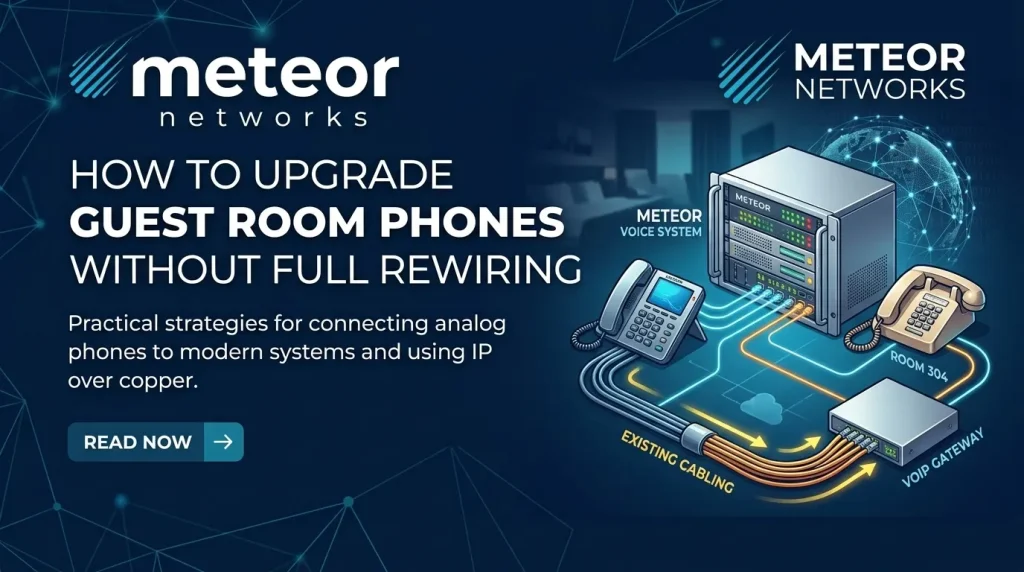
Upgrade guest room phones efficiently with Meteor Networks by reusing existing copper wiring. Hotels can deploy VoIP by connecting analog phones via gateways or running IP over copper, avoiding complete rewiring. Meteor helps design isolated, secure configurations optimized for specific hotel needs and budgets.
Start With the Problem You Need to Solve
Separate the project into three decisions:
- Room phones: Are handsets worn out, difficult to use, or missing service buttons?
- Central phone system: Is the PBX (the system that manages extensions and calls) unsupported or unable to provide required features?
- Wiring: Are faults caused by damaged cables, poor terminations, or unsuitable cable routes?
If only the handsets need replacing, compatible analog hospitality phones may work with the current system and wiring. If the PBX needs replacing, sound room cabling may still be reusable. Replacing the central system will not repair a damaged cable.
Have a technician identify each phone type, trace room connections, test cable condition, and document extensions before equipment is ordered. A familiar phone socket does not establish whether a handset uses standard analog signalling or a proprietary digital interface.
Choose How to Reuse the Wiring
| Approach | What stays | What changes | Main check |
| Replace analog handsets | Serviceable room wiring and compatible PBX | Guest room phones | Ringing, message lights, and service buttons |
| Add analog gateways | Room wiring and compatible analog phones | Central system and gateway equipment | Gateway, phone, and platform interoperability |
| Run IP over existing copper | Qualified copper pairs | Room phones, switches, and room adapters | Cable topology, distance, and power delivery |
| Upgrade selected areas | Suitable wiring and equipment elsewhere | Targeted rooms, floors, or front desk | Calling between old and new systems |
Option 1: Keep Analog Room Phones and Upgrade the System
An FXS gateway connects standard analog phones to an IP phone system. Installed at the appropriate wiring distribution point, it can serve room phones over existing copper pairs while connecting to the new platform through the network.
This approach suits hotels whose room phones already meet guest needs but whose central system needs replacement. High-density gateways provide multiple analog connections in one device, avoiding an individual network adapter in every room.
The room phone remains analog. Its available functions still depend on the handset, gateway, and phone platform working together. Support for analog endpoints does not establish compatibility with every hotel phone or hosted service.
Check message-waiting lights, caller ID, ringing capacity, and the number of handsets sharing each circuit. Proprietary digital phones require a separately verified migration path.
Option 2: Install IP Phones Over Existing Copper Pairs
Meteor Networks regularly uses NVT Phybridge PoLRE switches to install IP phones over existing telephone wiring for school boards and hotels.
A PoLRE switch connects to the network at the central wiring location, while a small PhyLink adapter connects the existing telephone cable to each IP phone’s Ethernet port. Together, they deliver network connectivity and Power over Ethernet over a suitable copper pair, allowing hotels to install fully functioning IP phones without running new Ethernet cable to every room.
During installation, Meteor secures the compact adapter behind the phone with a zip tie, keeping it out of sight and the setup tidy. Guests use the IP phone normally, with the adapter tucked behind it.
Before deployment, Meteor checks cable condition, connection layout, distance, and the selected phone’s power requirements. Testing representative rooms confirms whether the existing wiring can support the upgrade.

Verify Hotel Functions Before Approving the Upgrade
A successful outside call proves only part of the system works. Build acceptance testing around the hotel’s daily tasks:
- Front desk access: Service buttons and room extensions reach the correct destination.
- Wake-up calls: Scheduling, delivery, and failed-call reporting work as required.
- Voicemail: Message lights activate and clear correctly.
- Check-in and checkout: Calling permissions and guest-specific information update or reset.
- Housekeeping: Room-status codes reach the property management system, if used.
- Billing: Chargeable calls post to the correct room, if required.
Property management system (PMS) integration depends on the exact PMS, phone platform, software edition, and interface. It may require middleware or an additional subscription. Ask for written confirmation of the supported combination and demonstrate the required workflows during the pilot.
Plan for Outages and Emergency Calls
Reusing copper does not preserve the old system’s outage behaviour. An analog handset connected to a VoIP gateway still depends on powered equipment and a working call path. The CRTC identifies power and internet outages as limitations for VoIP emergency calling.
Specify backup power for the equipment needed to complete calls, including gateways, switches, routers, and any local PBX. Confirm which calls remain possible during an internet failure and whether local calling requires additional survivability equipment.
For emergency calling, verify the provider’s routing, callback number, registered address, and handling of room-location information. Do not assume a room number displayed at reception is also delivered to emergency responders. Arrange any emergency-call testing through the provider’s approved procedure.
Roll Out the Upgrade in Controlled Stages
| 1. Pilot representative rooms. Include different handset models, cable routes, and room layouts. Test calls and hotel workflows end to end. |
| 2. Prepare reception staff. Provide extension lists, operating instructions, and a clear escalation contact. |
| 3. Migrate during planned room access. Coordinate installation with housekeeping and occupancy, then sign off on each room before returning it to service. |
| 4. Keep a rollback plan. Document how to restore service if a migrated section fails. Confirm inter-system calling before operating old and new platforms together. |
| 5. Retire the old service after acceptance. Coordinate number transfers and contract cancellation so inbound calls remain available. |
Avoid promising zero disruption. Even with reusable wiring, technicians may need access to rooms, sockets, and distribution frames.
Compare the Full Cost Before Choosing
Request an itemized quote covering handsets, gateways or copper-conversion equipment, installation, cable repairs, backup power, PMS integration, recurring licences, calling charges, and support. Include room downtime and any overlap between old and new contracts.
Compare those costs over the same ownership period. A lower installation price can be offset by recurring per-room fees; a cable-reuse solution can also become poor value when extensive repairs are necessary.
Targeted rewiring may be the better choice for damaged runs, unsuitable cable layouts, or rooms already undergoing renovation. Ask for a room-by-room or floor-by-floor recommendation rather than assuming the whole property needs one approach.
Plan Your Guest Room Phone Upgrade With Meteor Networks
Meteor Networks designs and supports cloud, on-premise, and hybrid business phone systems. That range allows the conversation to start with your existing infrastructure, operating requirements, and long-term costs.
Before replacing every room connection, discuss which parts of your hotel phone system can remain and which need upgrading.
Book a consultation with Meteor Networks to review your room phones, wiring, and migration options.